Dark Mode & More Improvements
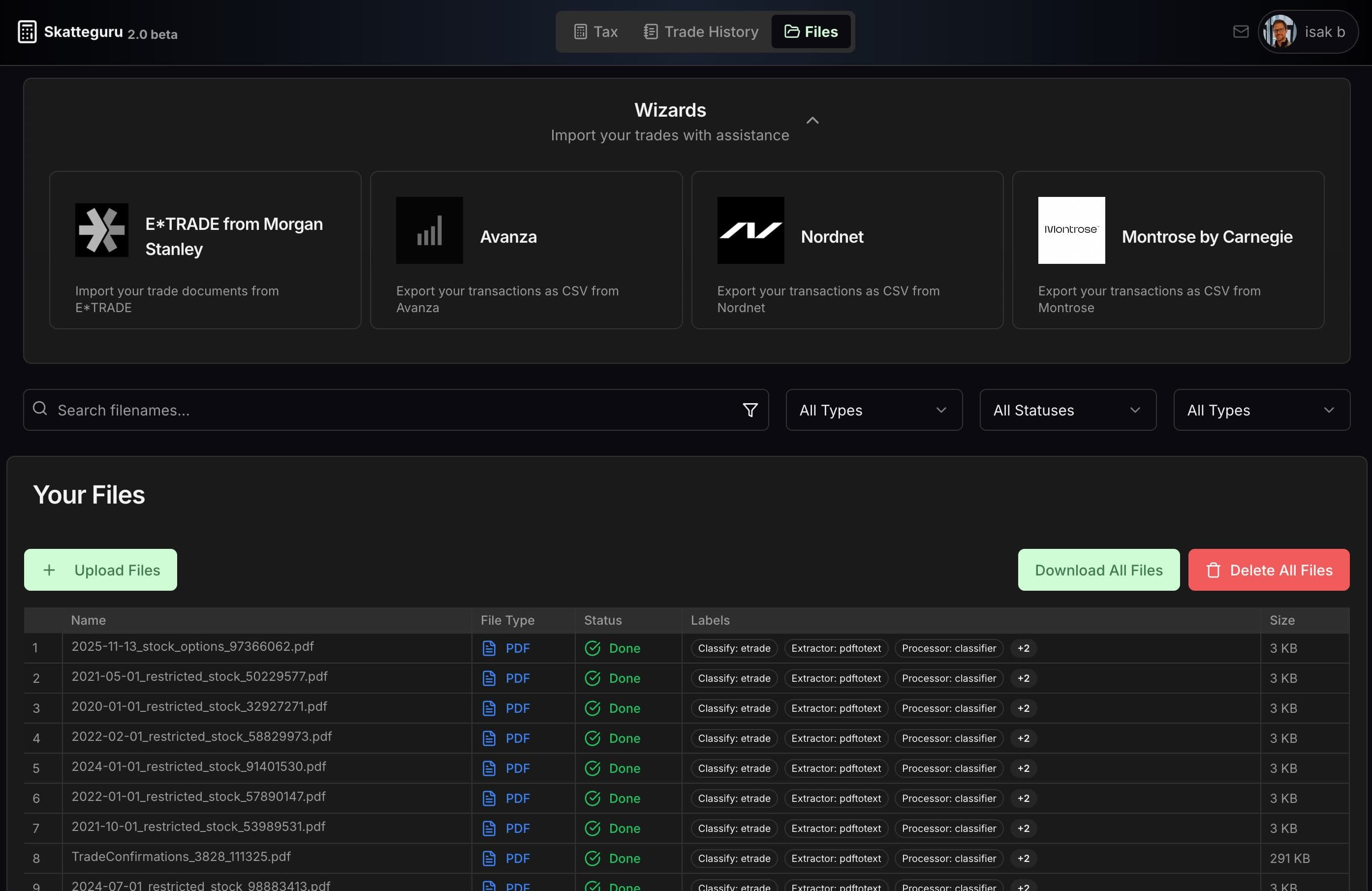
We're excited to announce that Dark Mode is now available. Switch to a comfortable dark theme that's easy on the eyes, whether you're working late nights or just in a dark mood. The new theme provides a comfortable viewing experience across all pages, from the dashboard to tax forms. The interface maintains excellent contrast and readability while reducing eye strain.
Lossless ROI With Dark Theme
More Improvements
Besides Dark Mode, we deployed several other improvements to make your tax filing experience smoother, faster, and more accurate.
Residual Tax (Kvarskatt) Calculator
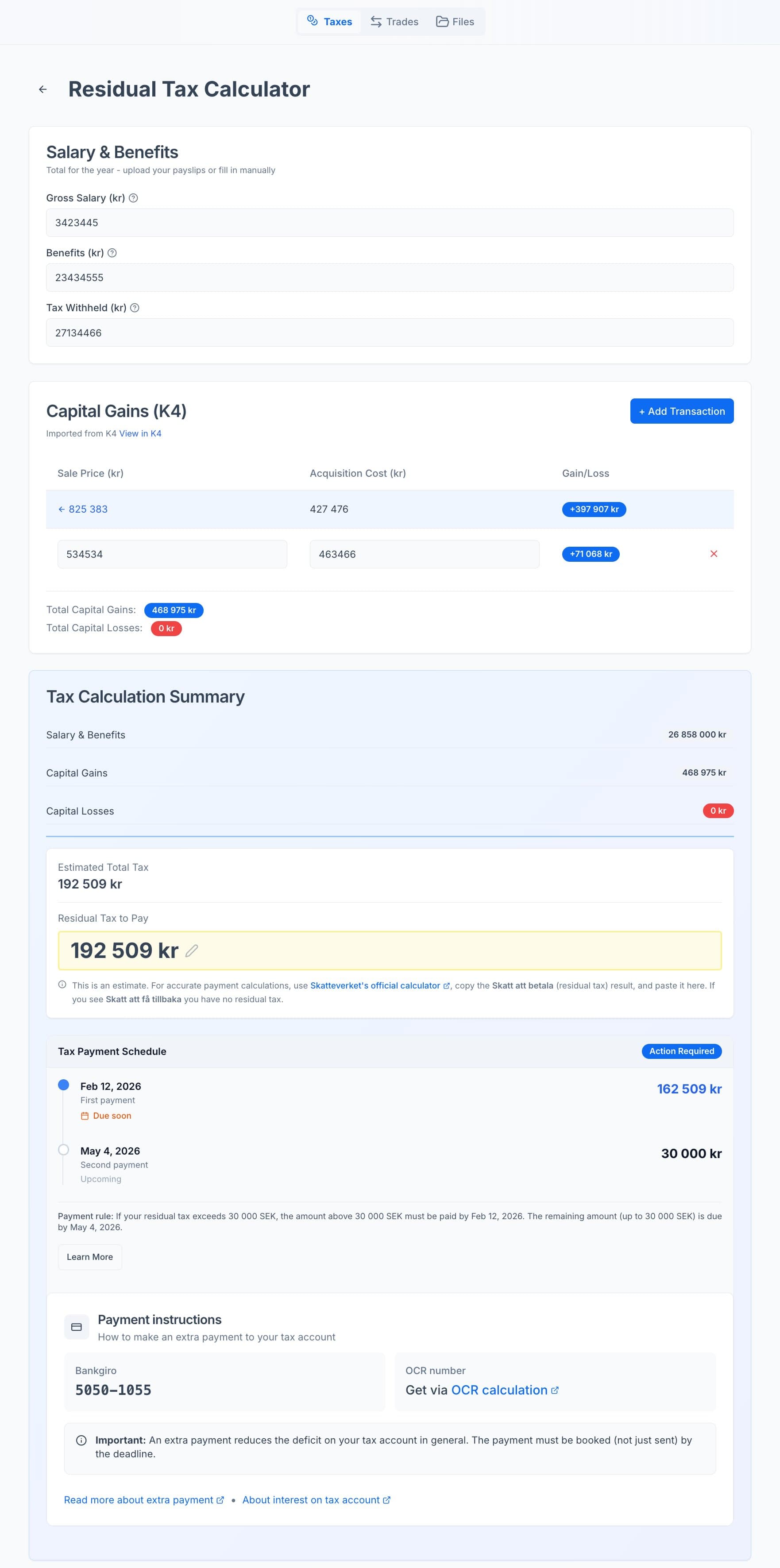
Our new Residual Tax Calculator helps you estimate your remaining tax liability and payment deadlines for the 2025 income year. Know exactly how much you owe and when to pay.
Edit Exchange Rates Directly
Need to adjust the exchange rate for a specific stock transaction? You can now edit foreign exchange rates directly in the file details page.
Edit Execution Time of Transactions
You can now edit the execution time for transactions, to ensure that the ordering of events for same-day-sales is correct.
Fixed Referral Links
Referral invitation links now work correctly. Previously, they showed "undefined" in URLs—now they generate clean, shareable links that work as expected.
Enhanced Document Analyzer with AI Fallback
When our own document analysis fails, we may fall back to a new AI analysis powered by AWS Bedrock in the EU (strict Data Protection Agreement). The AI enables more accurate data extraction even from unfamiliar formats.
Smart CSV Import with Column Mapping
Importing your broker data just got smarter. Our new CSV wizard auto-detects data types and suggests column mappings, taking the guesswork out of importing your trading history.
Trade History Dedicated Page
We've separated the Trading Journal from the Taxes page (formerly called the K4 form page) with a dedicated navigation tab.
Seasonal Passes
We've added paid seasonal passes with more features, on top of our Free tier.
Smart Document Deduplication
Our improved trade deduplication system is now operational. When you upload a document that contains the same trades as an existing file, we'll detect it. You'll see exactly why a document was flagged, so you can make informed decisions.
See March 20 announcement →
Due to a human/machine collaboration error, we failed to deploy the latest code to production on March 17. The improved deduplication system was finally enabled on March 20. We apologize for the delay.
Backend Migration to Rust
We migrated our backend code from Python to Rust, delivering significant performance improvements. Rust lambdas run up to orders of magnitude faster with reduced memory usage, resulting in quicker response times and slightly lower infrastructure costs. Thanks to this reduction in costs, our investment in a Rust rewrite will pay for itself in just a few decades.
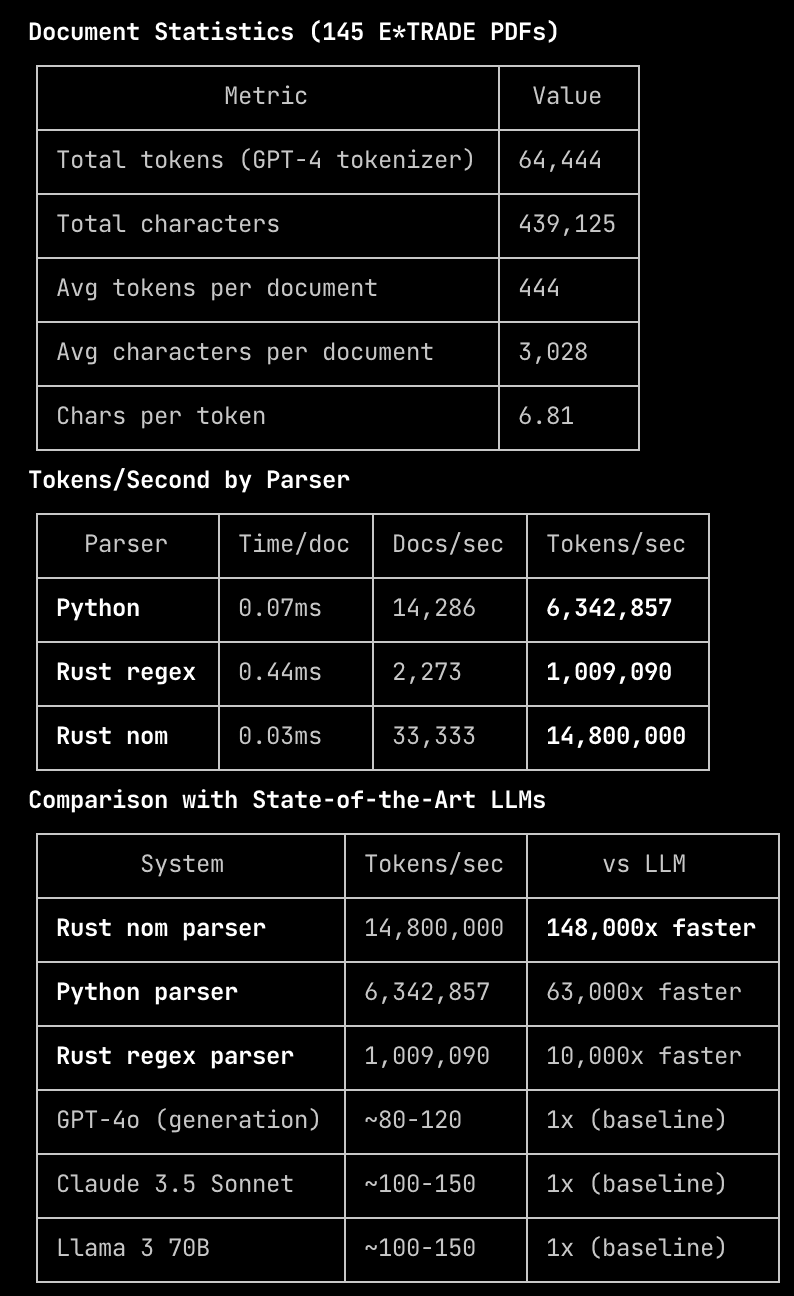
The benchmark above is an illustration of some numbers we looked at along the way, before realizing that the vibe-coded benchmark didn't even test anything useful. Always take performance claims with a grain of salt.
File Re-upload Recommended for New Features
If you have previously uploaded files, we recommend that you delete and re-upload them to take full advantage of our new features and improved parsers.
Action Required
If you want to use the new features and updated parsers, please delete all your existing files and upload them again.
This ensures your documents are processed with our latest parsing technology, which provides more accurate data extraction and enables new editing capabilities.
Identifying Old Files
Visit https://www.skatteguru.se/dashboard/files to see all your uploaded files.
Any file that does not have labels was parsed with an older version of our parser. These files will not support the new features and should be re-uploaded.
Features That Require Re-upload
Edit Exchange Rates Directly
Requires files to be parsed with the new system.
Edit Execution Time of Transactions
Requires files to be parsed with the new system.
Enhanced Document Analyzer with AI Fallback
Only available for newly uploaded files.
Editing Requires Re-parsing
Any attempts to edit time of day, exchange rates, or other transaction details will require the file to be parsed with the new system.
Files uploaded before these improvements cannot be edited with the new tools. To enable editing capabilities, please delete and re-upload the affected files.
Batch Reparsing Consideration
We understand that manually re-uploading files may be inconvenient, especially for users with many documents.
Future Batch Reparsing
We may potentially reparse all files in a batch job later, but for now we have skipped this approach.
This is something we're actively considering for a future update. In the meantime, we recommend re-uploading important files that you want to use with the new features.
What's Next?
Always making taxes easier, calculations more accurate, and filing faster.
- Skatteguru